Guide · 2 min read
How to Delete Pages from a PDF
The oMyPDF Delete PDF Pages tool lets you remove specific pages from a PDF — click thumbnails or type page ranges — and download the rest as a new PDF. It runs right in your browser with no signup and no Acrobat, so your file stays private.
Quick overview
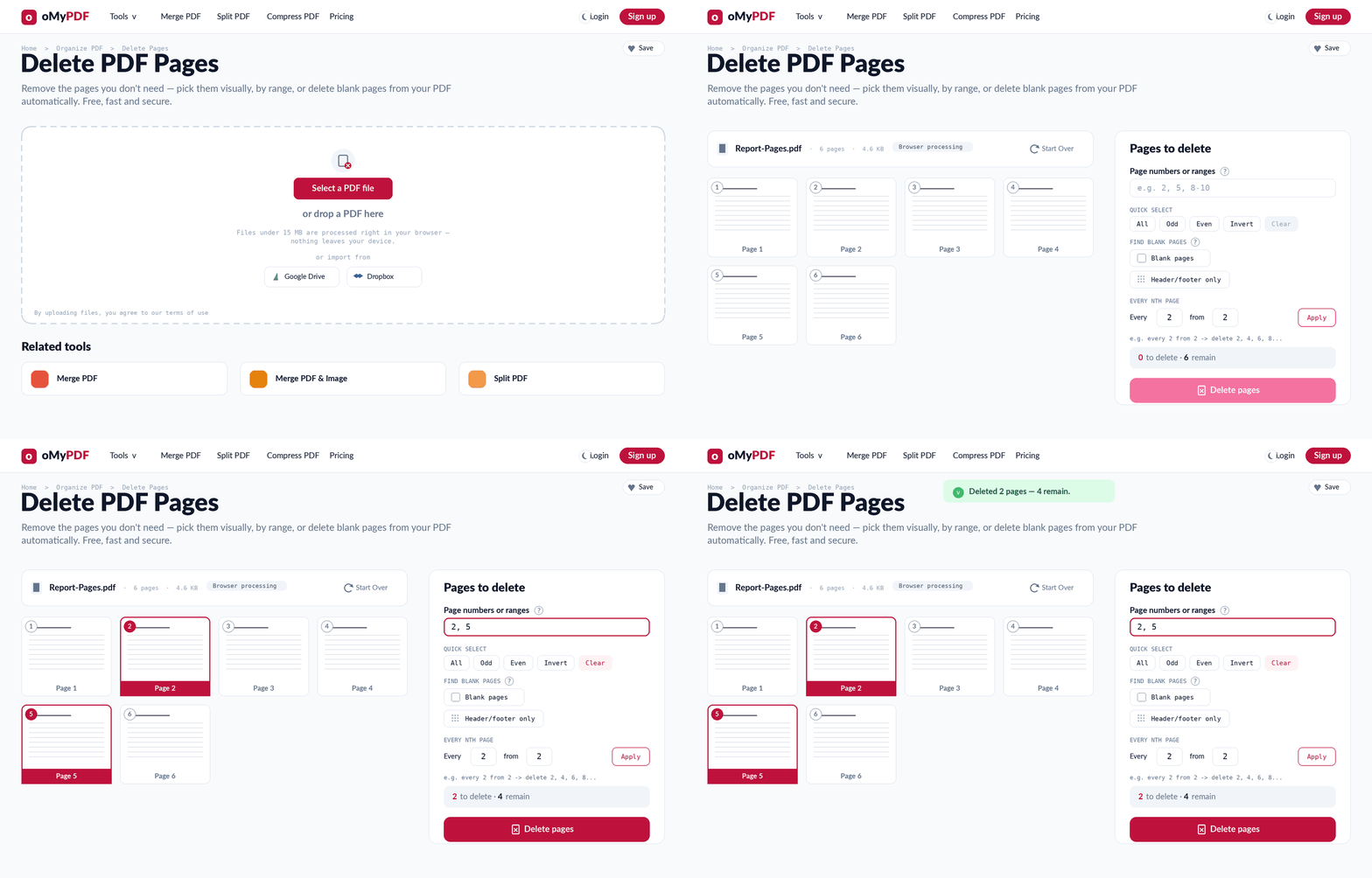
The full workflow: add a PDF, pick the pages to remove, then delete and download the rest.
Step-by-step
- 1
Open the tool
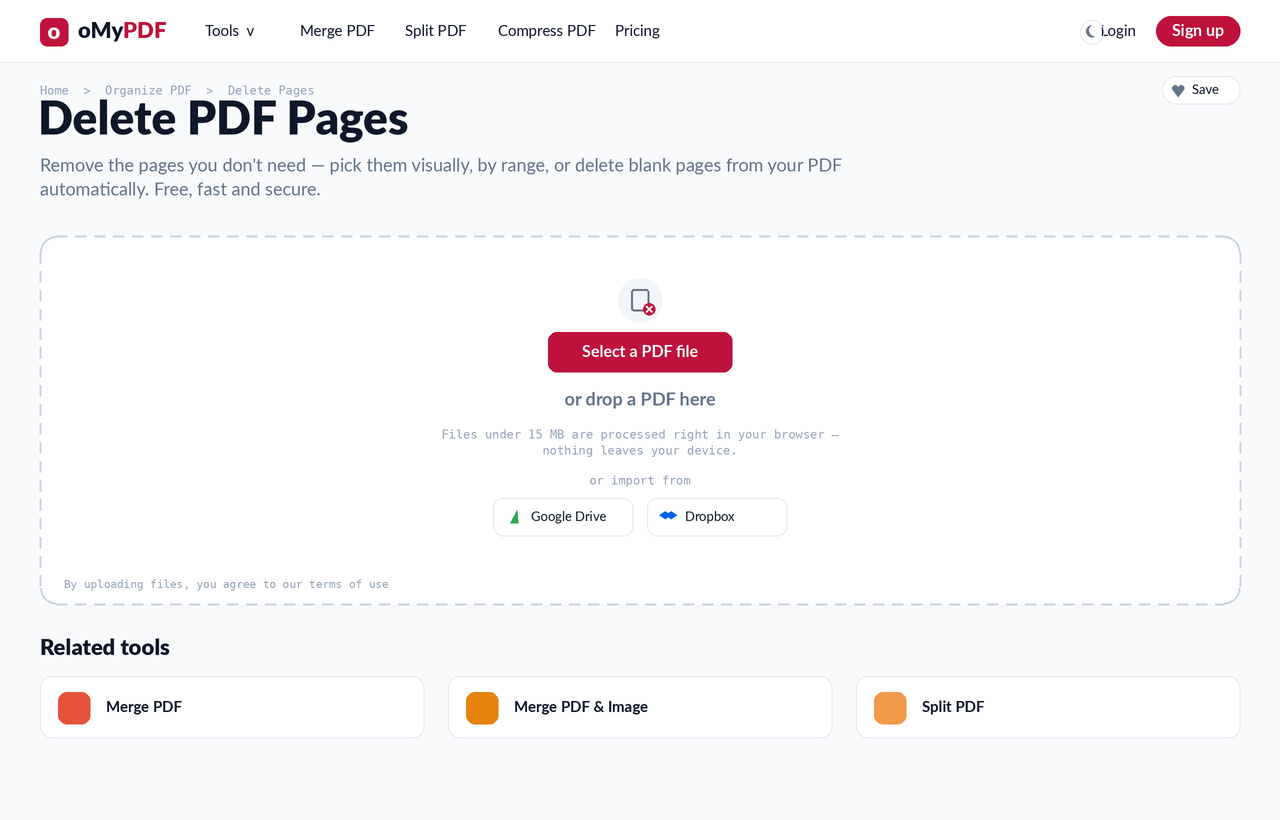
Go to the Delete PDF Pages page. Click Select a PDF file, or drag a PDF straight onto the upload area.
- 2
See every page
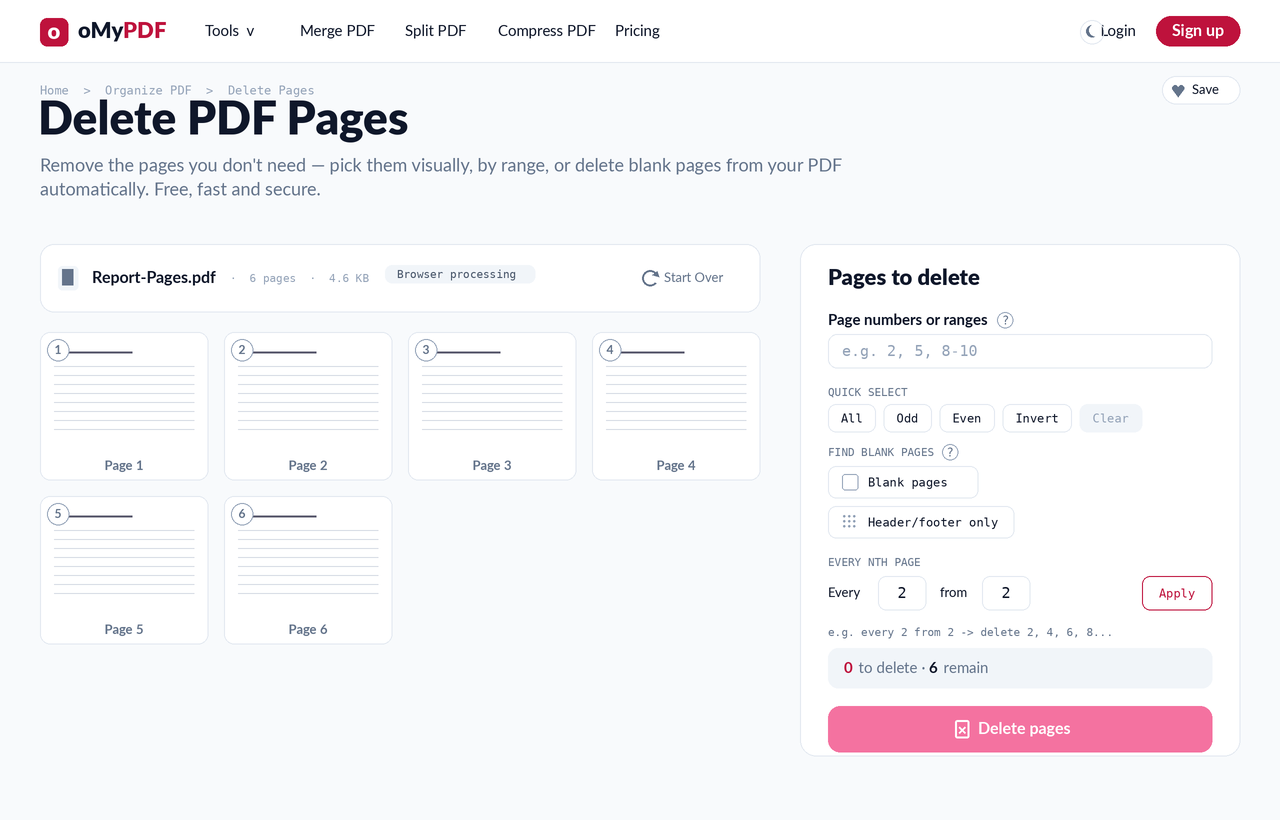
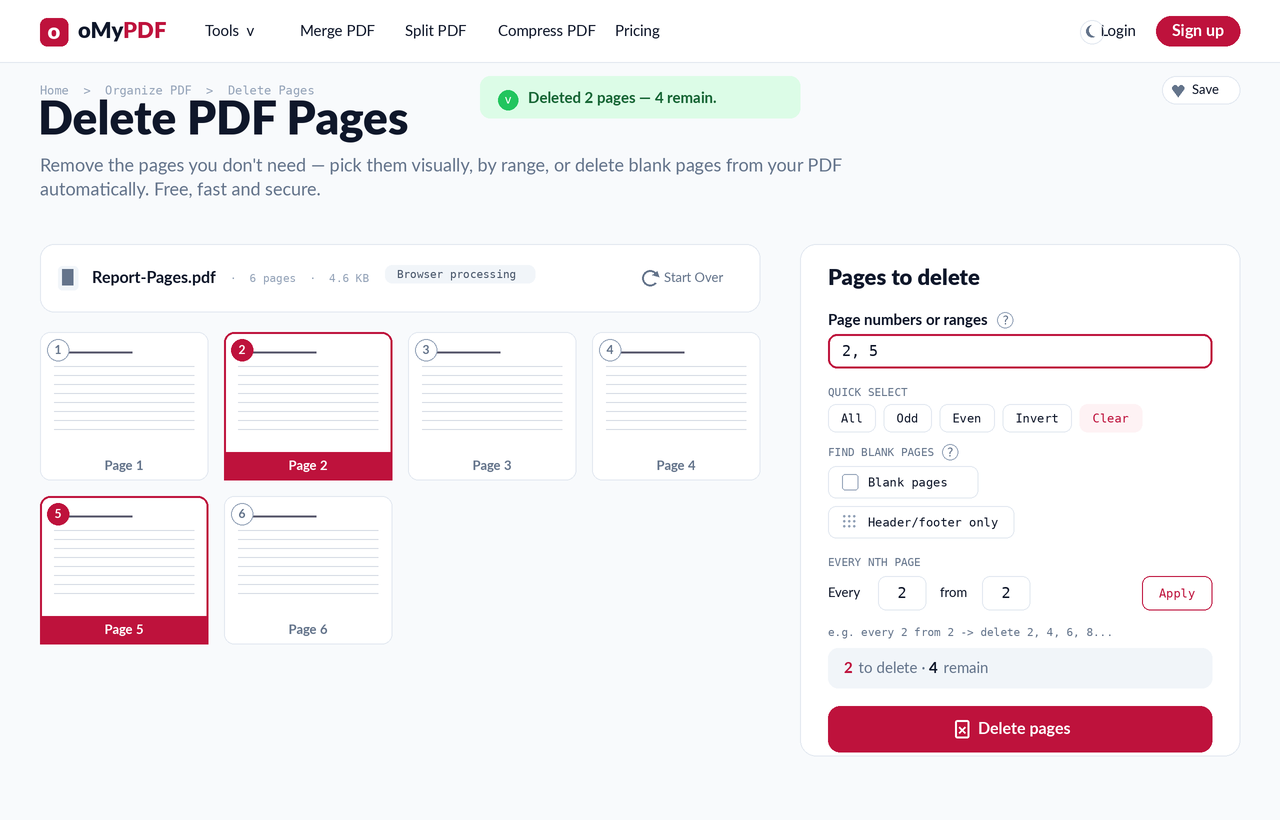
Your PDF opens as a grid of page thumbnails, with a Pages to delete panel on the right. Each page shows a number so you can find the ones you want to remove.
- 3
Pick pages to remove
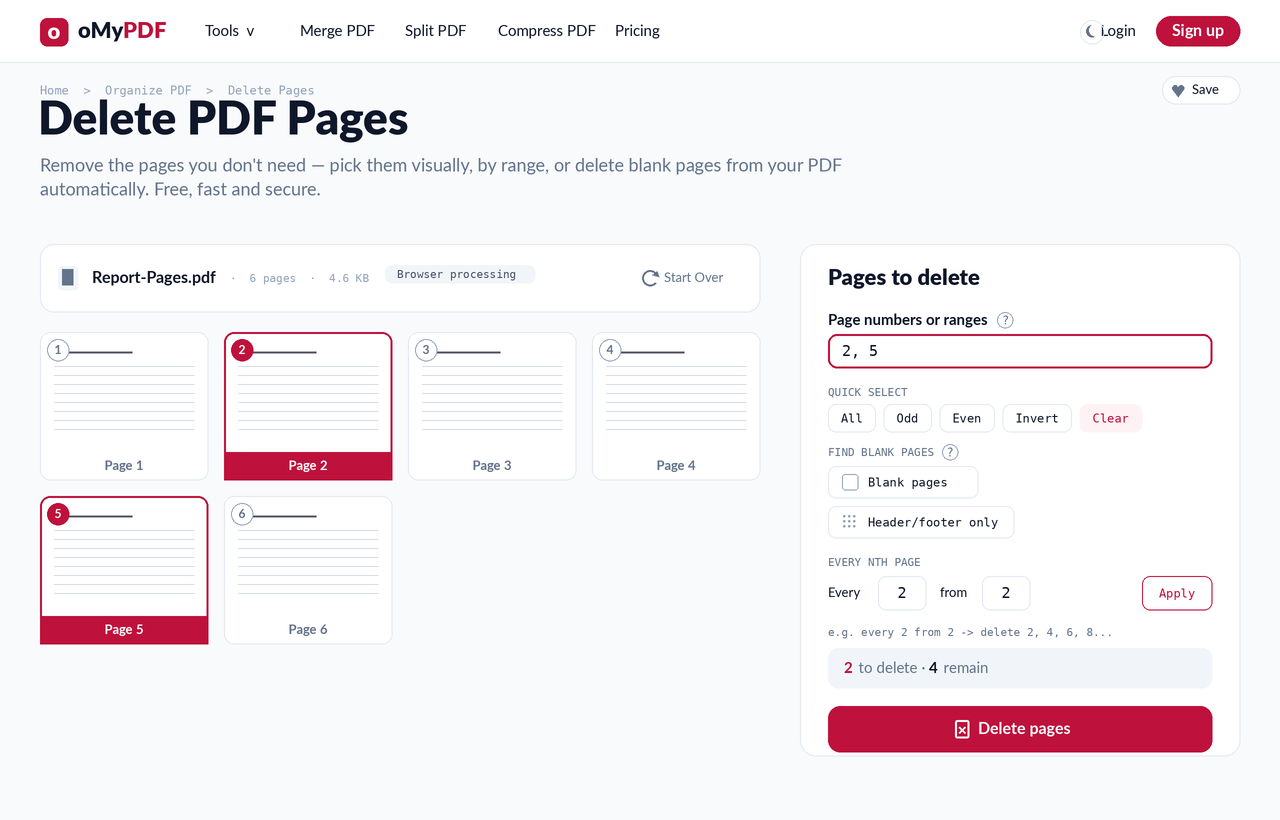
Click page thumbnails, or type page numbers and ranges like 2, 5, 8-10 — the picker and the range box stay in sync. Use Quick Select (All, Odd, Even, Invert) or the Every Nth page helper to remove specific pages fast. The counter shows how many you'll delete and keep.
- 4
Delete & download
Click Delete pages. A new PDF downloads with only the pages you kept, in their original order — no oMyPDF mark added.
Tips
- Two ways to choose: click thumbnails in the picker, or type page numbers and ranges like 2, 5, 8-10 — both stay in sync.
- Remove blank pages fast: the Every Nth page helper (e.g. every 2 from 2) is handy for stripping out blanks or the backs of scans.
- Quick Select: use All, Odd, Even, or Invert to flip your selection in one click.
- Private & free: delete pages from a PDF without Acrobat — smaller files are processed right in your browser and never uploaded.
Ready to remove pages from your PDF?
Free, private, and no sign-up required.